Estimate AI token counts from pasted text or word counts, or convert tokens back to words, using English prose, character, or custom ratios.
Related Calculators
- Words to Pages Calculator
- Words to Minutes Calculator
- Characters to Pages Calculator
- Characters per Page Calculator
- Page Count Calculator
- Type-Token Ratio Calculator
- All Unit Converters
Words To Tokens Formula
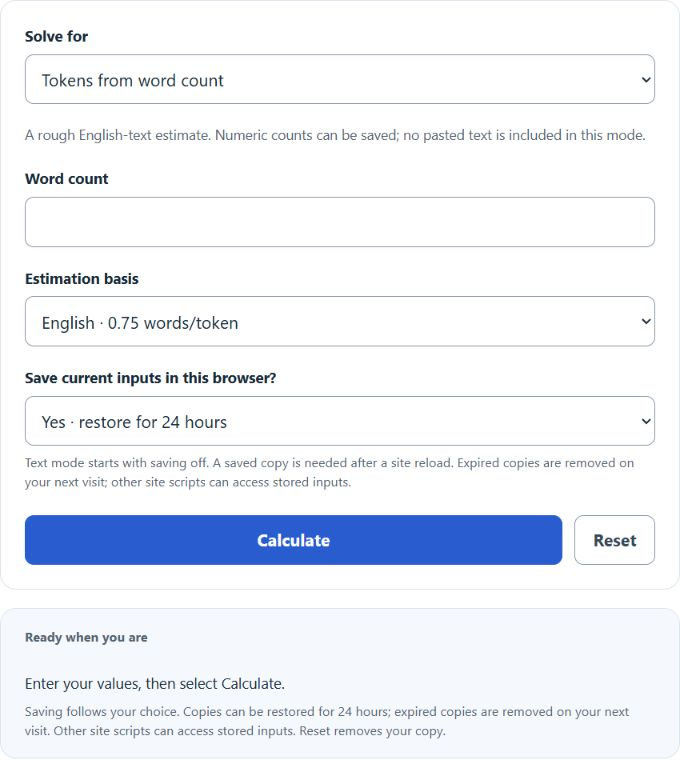
For a word-count estimate, divide words by the selected average words per token. The English rule of thumb uses 0.75 words per token; it does not run a tokenizer.
- T is the estimated token count
- W is the word count (whitespace-separated groups in pasted-text mode)
- r is the average words per token: 0.75 for the English rule, or your positive custom average
Tokens ≈ words ÷ words/token. In reverse, words ≈ tokens × words/token. Pasted text also offers a separate character estimate: Unicode code points ÷ 4. These are rough English-text rules, not exact model-tokenizer counts.
| Words | Tokens (approx.) |
|---|---|
| 5 | 7 |
| 10 | 13 |
| 15 | 20 |
| 20 | 27 |
| 25 | 33 |
| 30 | 40 |
| 40 | 53 |
| 50 | 67 |
| 60 | 80 |
| 75 | 100 |
| 100 | 133 |
| 150 | 200 |
| 200 | 267 |
| 250 | 333 |
| 300 | 400 |
| 400 | 533 |
| 500 | 667 |
| 750 | 1000 |
| 1000 | 1333 |
| 2000 | 2667 |
| *Approximation uses Tokens ≈ Words ÷ 0.75, rounded to the nearest token. Actual counts vary by model tokenizer, punctuation, numbers and language. | |
What is a Words To Tokens Calculator?
Definition:
The Words To Tokens Calculator estimates counts from word counts, pasted text or token counts. It does not extract a token list or apply a model-specific tokenizer. English word and character rules are rough estimates; custom averages are assumptions you provide.
How to Use the Words To Tokens Calculator?
Example Problem:
The following example estimates a sample sentence; the default task accepts a word count.
Choose Tokens from pasted text and enter "Hello, world!". This contains two whitespace-separated groups and 13 Unicode code points. Saving pasted text starts off; allow a browser copy only if you want restoration after the site reloads.
Next, click the "Calculate" button to process the input text.
Using the English word rule, 2 ÷ 0.75 ≈ 2.667, displayed as an estimate of 3 tokens. The character rule gives 13 ÷ 4 = 3.25, also rounded to 3 tokens. These are not exact token lists.
FAQ
How does the tokenization process work?
It applies an average conversion rule. The word estimate counts whitespace-separated groups; the character estimate counts Unicode code points, including whitespace. Neither is an exact tokenization algorithm.
Can the calculator handle special characters and multiple languages?
Pasted text may contain any Unicode characters, but English rules can be inaccurate for other languages, emoji and code. Exact counts depend on the target tokenizer; use its tokenizer or API usage metadata when precision matters.
What happens if no text is entered?
Pasted-text mode requires nonblank text. Word-count and token-count modes accept zero or a nonnegative whole count. Custom words-per-token ratios must be positive.