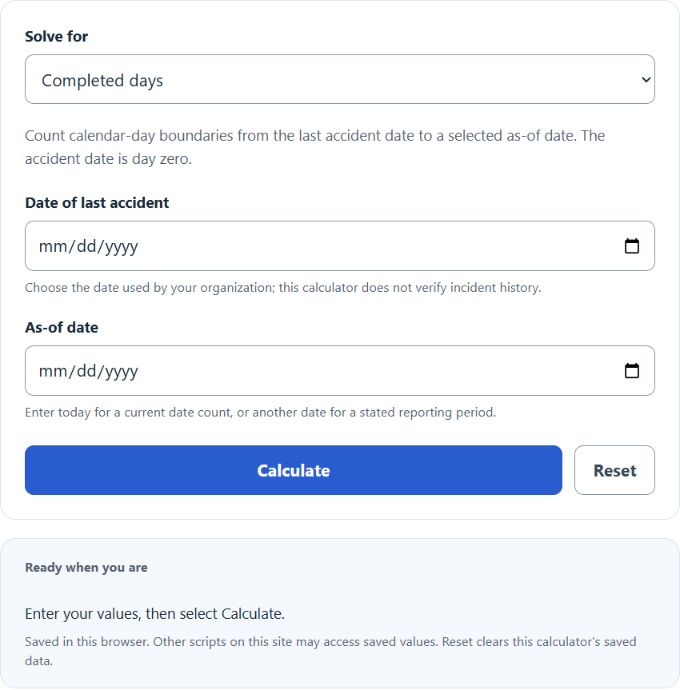
Count completed accident-free calendar days between dates or calculate a target milestone date, with weeks, hours, progress, and upcoming safety anniversaries.
Related Calculators
- Accident Free Man Hours Calculator
- Cumulative Safe Man Hours Calculator
- Lost Work Day Calculator
- Lost Time Incident Rate Calculator
- Accident Frequency Rate Calculator
- Severity Rate Calculator
- All Construction Calculators
Accident Free Days Formula
The calculator uses whole calendar days between dates. The start date is not counted as a completed accident-free day. For example, from Jan 1 to Jan 2 is 1 day.
- AFDsince = accident-free days from the last accident date to today
- AFDbetween = accident-free days between two selected dates
- T = today’s date when selected as the as-of date
- L = date of the last accident
- S = start date, usually the last accident date
- E = selected as-of date
- G = goal date
- Dg = accident-free day goal, such as 30, 90, or 365 days
- R = days remaining until the goal date
Completed days: enter the last accident date and the as-of date. Choose today for a current count. The result assumes no intervening accident and includes weekends, holidays and nonworking days.
Between two dates: use the same Completed days mode with the chosen start and as-of dates. Equivalent weeks are days ÷ 7. Nominal hours are days × 24, not actual clock hours across daylight-saving changes or employee working hours.
Milestone and progress: enter a start date, as-of date and positive whole-day target. The result shows the target date, remaining days and progress as of the selected date; progress stops at 100% after the goal is reached.
Common Accident-Free Day Milestones
| Milestone | Approximate length | Common use |
|---|---|---|
| 30 days | About 1 month | Short-term safety tracking |
| 90 days | About 1 quarter | Quarterly reporting or team goals |
| 180 days | About 6 months | Mid-year safety milestone |
| 365 days | About 1 year | Annual accident-free record |
| 730 days | About 2 years | Long-term safety benchmark |
| 1,825 days | About 5 years | Major accident-free achievement |
How Date Counts Are Treated
| Start date | End date | Result |
|---|---|---|
| Jan 1 | Jan 1 | 0 completed days |
| Jan 1 | Jan 2 | 1 completed day |
| Jan 1 | Jan 31 | 30 completed days |
| Jan 1 | Dec 31 | 364 completed days in a non-leap year |
Example Problems
Example 1: Accident-free days between two dates
Start date: Jan 1, 2024
End date: Jan 31, 2024
The result is 30 accident-free days.
Example 2: Date when a goal is reached
Start date: Mar 15, 2024
Goal: 365 days
The 365-day accident-free goal is reached on Mar 15, 2025.
FAQ
Does the accident date count as day 1?
No. The calculator counts completed days after the start date. If the accident happened today, the result is 0 days. Tomorrow, the result is 1 day.
Why does a 365-day goal sometimes land on the same month and day next year?
Adding 365 days to a date usually lands on the same month and day in the next year. Leap years can affect date ranges that cross Feb 29, because that extra calendar day is included in the count.
Can this be used for workplace safety signs?
Use Completed days with an explicitly selected as-of date to check a displayed period. Saved dates and results remain fixed; update the as-of date and select Calculate for a new count. For official records, confirm the incident history and reporting rules used by your organization.