Calculate workforce schedule adherence from matching work, break, and activity minutes, reconcile deviations, or compare a fixed tracked schedule against a target.
Related Calculators
- Service Level Calculator
- AHT Average Handle Time Calculator
- Call Abandonment Rate Calculator
- Call Center Shrinkage Calculator
- Average Call Length Calculator
- Time Efficiency Calculator
- All Health and Medical Calculators
Schedule Adherence Formula
Schedule adherence measures whether actual activities match the planned activities at their scheduled times. It differs from total-hours conformance: completing the scheduled number of hours at different times does not establish full adherence. NICE explains this distinction in its adherence documentation.
Adherence (%) = matched tracked time / tracked schedule time × 100
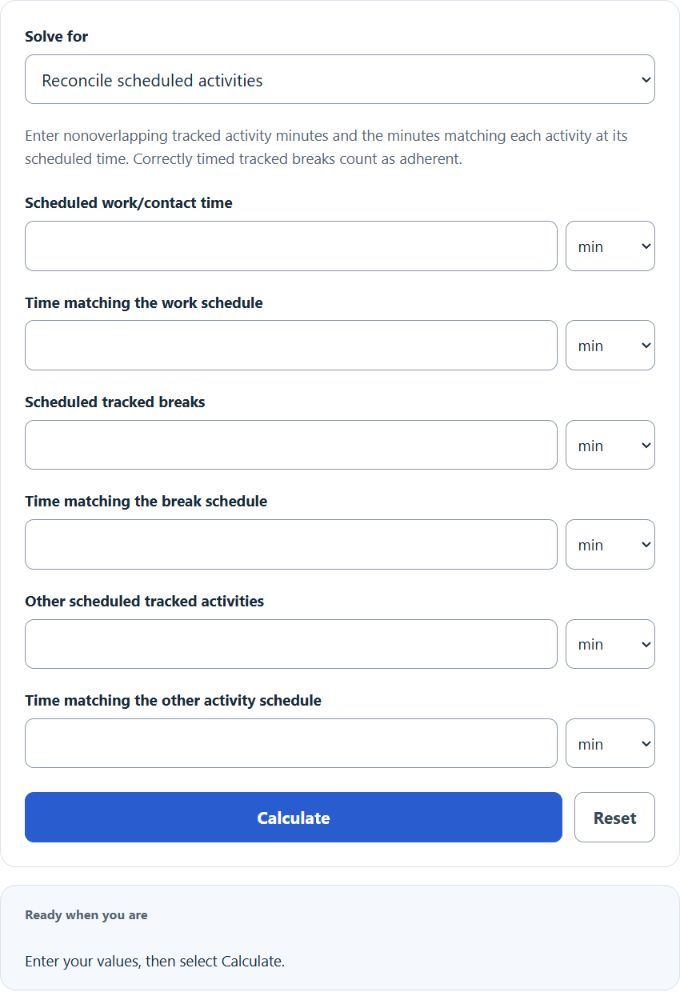
Both times use the same tracked intervals and activity definitions. In activity mode, tracked time is scheduled work plus tracked breaks plus other tracked activities; matched time is the sum of correctly timed activity minutes. These activity periods must not overlap. Matching time cannot exceed the schedule for its activity, and total tracked time must be positive.
Tracked time = total scheduled shift − excluded time
Matched time = tracked time − out-of-adherence time
Deviation mode applies these relationships. Excluded or neutral periods do not enter the tracked denominator; count deviations only within the tracked intervals, without double counting. Correctly timed breaks or training can count as adherent when your organization’s rules track them. Calabrio documents state/activity matching and neutral exclusions.
How to Use the Calculator
- Choose activity reconciliation, deviation scoring, or target planning.
- Enter the required visible times. Use seconds, minutes or hours for each time field; all calculations convert to minutes.
- For activity reconciliation, enter zero for a category absent from the tracked schedule and match each category separately.
- For deviations, enter total shift, excluded time and out-of-adherence time. Excluded time must be less than the shift.
- For target planning, enter an organizational target greater than zero and no more than 100%.
- Select Calculate. Reset clears this calculator’s saved inputs and result.
Fixed-Schedule Target Margin
Allowed total deviation = tracked time × (1 − target / 100)
Margin = allowed total deviation − current deviation
A positive margin is the additional deviation the fixed tracked schedule can absorb while meeting the target. A negative margin is a shortfall: that many minutes would need to be validly reclassified as in adherence within the same schedule. It is not permission to rewrite records, and extra work outside the scheduled intervals does not restore earlier alignment. The target is a chosen policy value, not a universal performance standard.
Worked Examples
Activity reconciliation: Schedule 390 minutes of work, 30 minutes of tracked breaks and 30 minutes of other tracked activities. Matching 380, 25 and 30 minutes gives 435 / 450 × 100 = 96.67%. Work and break mismatches are 10 and 5 minutes.
Deviation scoring: A 480-minute shift with 30 excluded minutes has 450 tracked minutes. With 20 minutes out of adherence, matching time is 430 minutes and adherence is 95.56%.
Target margin: At a 90% target, 450 tracked minutes allow 45 minutes of total deviation. With 20 minutes already out, the allowance remaining is 25 minutes. With 50 minutes out, the fixed schedule has a 5-minute shortfall.
Understanding the Result
Zero percent means no tracked minutes match the scheduled activities; 100% means all do. This matched-time score remains between 0% and 100%. Total-hours conformance may exceed 100% and is a different measure. The details also show what one or five additional minutes out would do within the same fixed schedule.
Frequently Asked Questions
Can equal total hours still produce low adherence?
Yes. Activity timing matters, so an equal number of hours shifted to different times can produce mismatches.
Are breaks always excluded?
No. Include tracked breaks when your rules compare their scheduled and actual timing; remove neutral or untracked periods consistently.
Why might a workforce system report a different score?
This calculator uses your reconciled time totals. Event-level matching, state equivalence, exceptions and tolerance rules must be applied consistently before entering those totals; it does not reconstruct them from raw logs.
Should I leave one field empty?
No. Choose the desired mode and fill every required visible field. The old missing-value instructions do not apply to these timing-based modes.