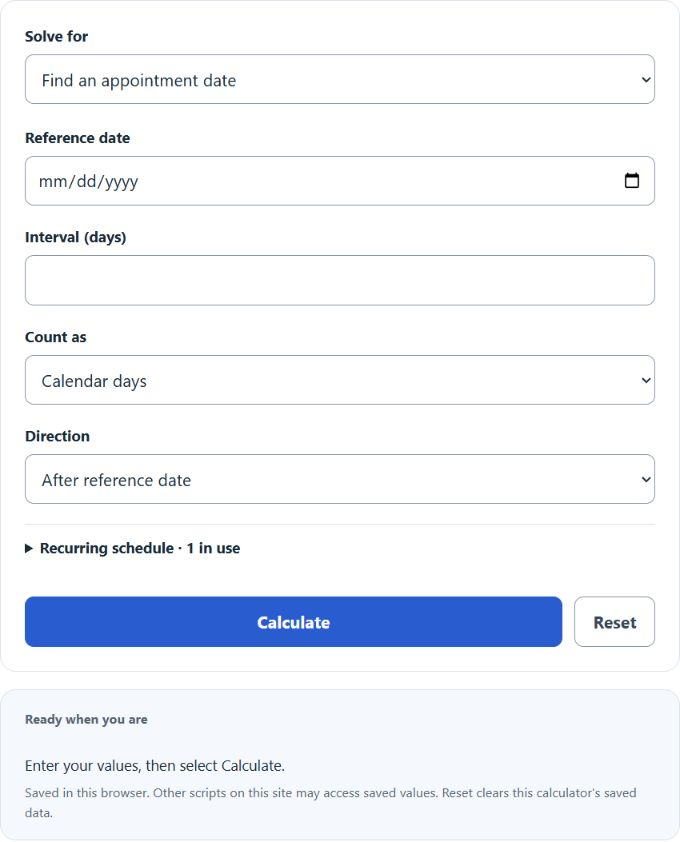
Find an appointment by adding or subtracting calendar or business days, build a short recurring schedule, or count exact days between two appointment dates.
Related Calculators
- Date Calculator
- Leap Calculator
- 1-Month Notice Period Calculator
- 45 Minutes From Now Calculator
- All Everyday Life and Education Calculators
Appointment Date Formula
Choose a date task. To find an appointment, enter a reference date and interval, then choose before or after and calendar or business days. To measure an interval, enter both dates and choose the count convention.
- S = start date
- E = end date
- N = number of calendar days between the dates
In Count days between dates, enter the start as the reference date and the end as the appointment date. To work backward, use Find an appointment date, enter the known end as the reference date and choose Before reference date. The optional schedule defaults to three appointments, each measured from the reference date.
Common Appointment Date Intervals
These common intervals can help you check whether the calculated date looks reasonable.
| Interval | Number of Days | Typical Use |
|---|---|---|
| 1 week | 7 days | Follow-up appointment |
| 2 weeks | 14 days | Routine check-in |
| 30 days | 30 days | Monthly scheduling window |
| 90 days | 90 days | Quarterly appointment |
How the Day Count Is Interpreted
| Start Date | End Date | Number of Days | Meaning |
|---|---|---|---|
| March 1 | March 1 | 0 | Same-day appointment |
| March 1 | March 2 | 1 | One calendar day later |
| March 1 | March 8 | 7 | One week later |
Example Section
Example 1: Find the end date
You have a start date of April 10, 2026, and the appointment is 14 days later.
End date = April 10, 2026 + 14 days = April 24, 2026.
Example 2: Find the number of days
You have a start date of June 3, 2026, and an end date of June 18, 2026.
Number of days = June 18, 2026 - June 3, 2026 = 15 days.
FAQ Section
Does the calculator count calendar days or business days?
Choose calendar days or business days for date offsets. Calendar days include weekends and holidays; business days skip Saturday and Sunday but do not exclude holidays. Adding 7 calendar days to a Monday gives the next Monday.
Is the start date included in the day count?
The default excludes the reference date: the same date is 0 days and the next date is 1 day. Include both dates adds one in the direction of the interval; the same date then counts as 1 day. A zero offset leaves the reference date unchanged.
What happens if the end date is before the start date?
Earlier appointment dates produce negative intervals. For example, June 18 to June 3 is −15 days with the reference date excluded, or −16 with both dates included.