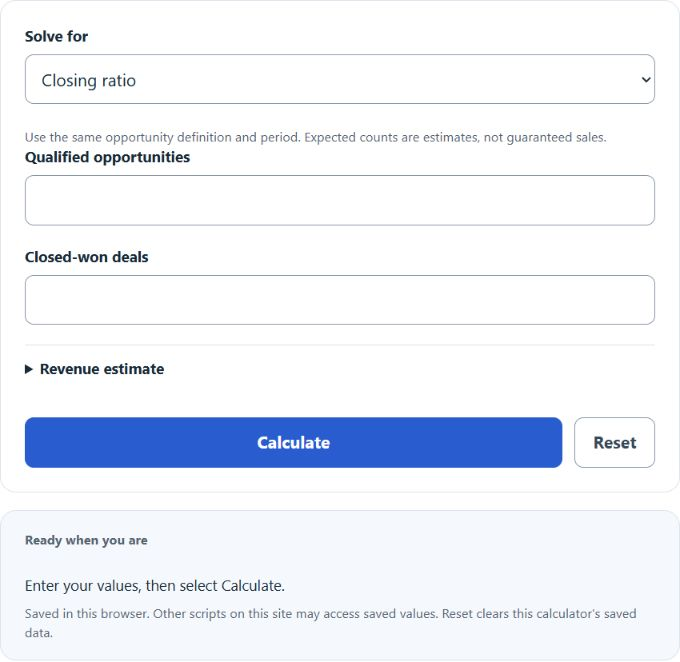
Calculate sales closing ratio, expected closed deals, opportunities needed for a goal, and gains from improving your close rate.
Related Calculators
- Website/Ad Conversion Rate Calculator
- Comp Sales Calculator
- CPO (Cost Per Order) Calculator
- Cost Per Engagement (CPE) Calculator
- All Business Calculators
Closing Ratio Formula
The calculator provides four solve modes using the following formulas.
Closing ratio mode:
Closing Ratio (%) = (Closed Sales / Total Leads) × 100
Expected closed deals mode:
Expected deals = opportunities × expected rate / 100
Deal-goal mode:
Required Leads = Sales Goal / (Closing Ratio / 100)
Improvement mode:
Extra Sales = Leads × (Target Rate – Current Rate) / 100
- Closed Sales: deals won in the period.
- Total Leads: quotes, opportunities, or qualified leads worked in the same period.
- Closing Ratio: percent of leads that became sales.
- Sales Goal: number of closed deals you want.
- Current Rate / Target Rate: closing ratios as percentages (for example, 18 and 25).
- Average Sale Value: optional, used to estimate revenue.
Both numerator and denominator must cover the same time window and the same lead definition. If you count every form fill as a lead, keep that consistent. Closed sales cannot exceed total leads. The required-leads result is rounded up because you cannot work a fractional lead.
The Closing ratio mode measures the entered cohort. Expected closed deals uses opportunities × expected rate/100. Opportunities for a deal goal rounds up goal/(rate/100); this is an expected-value estimate, not a guarantee. Extra expected deals holds opportunity volume constant. Optional revenue uses the supplied default USD; blank omits it and zero is valid.
Illustrative Rates and Quick Reference
The following retained ranges are illustrative scenarios, not verified industry benchmarks. Category and funnel definitions vary; these values cannot grade a business.
| Sales type | Lower-rate example | Higher-rate examples |
|---|---|---|
| Example A | under 15% | 20% to 30% |
| Example B | under 10% | 15% to 25% |
| Example C | under 15% | 20% to 35% |
| Example D | under 3% | 5% to 15% |
| Example E | under 1% | 2% to 5% |
Leads needed to close a single sale at common closing ratios.
| Closing ratio | Leads per sale | Leads for 10 sales | Leads for 50 sales |
|---|---|---|---|
| 5% | 20 | 200 | 1,000 |
| 10% | 10 | 100 | 500 |
| 15% | 6.7 | 67 | 334 |
| 20% | 5 | 50 | 250 |
| 25% | 4 | 40 | 200 |
| 30% | 3.3 | 34 | 167 |
| 40% | 2.5 | 25 | 125 |
Worked Examples and FAQ
Example 1: Find your closing ratio. You closed 24 sales out of 100 quotes. Closing ratio = 24 ÷ 100 × 100 = 24%. This describes the entered cohort and does not establish an industry grade.
Example 2: Hit a sales goal. You want 50 sales next quarter and you close at 25%. Required leads = 50 ÷ 0.25 = 200. An illustrative 10% volume cushion gives 220, but does not guarantee 50 wins.
Example 3: Improvement lift. You work 100 leads at an 18% close rate (18 sales). If the assumed rate rises to 25%. Extra sales = 100 × (25 – 18) ÷ 100 = 7 more sales without adding lead volume. At a $1,500 average, that is $10,500 in added revenue.
What counts as a lead? Pick one definition and stay with it. Common choices are quoted prospects, qualified opportunities in your CRM, or scheduled appointments. Mixing definitions across periods makes the ratio meaningless.
Closing ratio vs. conversion rate? Conversion rate often refers to any step in the funnel, like visitor to lead. Closing ratio is specifically lead or opportunity to closed sale.
Why is my e-commerce rate so low? Visitor-to-sale and qualified-opportunity-to-sale rates use different denominators. Compare consistently defined cohorts rather than treating an unsupported generic range as normal.
Should I chase a higher rate or more leads? Run both options through the calculator. Compare the expected volume and rate scenarios with actual acquisition and improvement costs. This calculator does not establish which option is cheaper or achievable.
How often should I recalculate? Monthly for active sales teams, quarterly for longer cycles. Use the same period length each time so trends are real and not artifacts of the window.