Use this Mbps Calculator (MB/s to Mbps Conversion) to convert bit and byte transfer rates, estimate effective throughput, and calculate file download time.
- Bandwidth Calculator
- Upload Time Calculator
- Bandwidth Delay Product Calculator
- Throughput to IOPS Calculator
- All Unit Converters
Mbps Formula
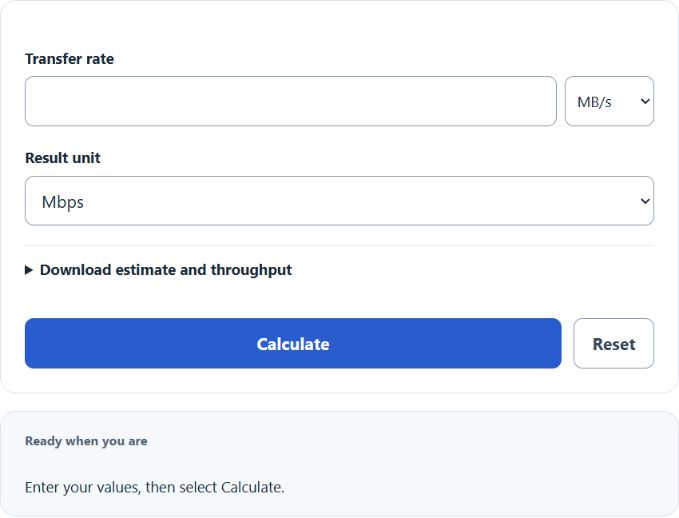
The calculator converts the transfer rate and optionally estimates download time using file size and usable throughput.
Convert speed (bits to bytes and back):
Download time:
- Mbps: megabits per second (1 Mbps = 1,000,000 bits per second)
- MB/s: megabytes per second, decimal (1 MB = 1,000,000 bytes)
- MiB/s: mebibytes per second, binary (1 MiB = 1,048,576 bytes)
- File size in bits: bytes multiplied by 8
- Efficiency: a decimal greater than 0 and at most 1 in the formula; the widget accepts the equivalent percentage above 0% through 100%
Select the input rate unit and result unit to convert between bits and bytes, including decimal MB/s and binary MiB/s. Open the optional section to enter file size and usable throughput. Blank file size omits duration; 100% is the theoretical-rate default, while a measured or chosen lower percentage models reduced throughput.
Reference Tables
Use the conversion table to sanity-check the arithmetic. The activity rates are illustrative planning examples, not service requirements or guaranteed recommendations; actual applications, simultaneous use, latency and network conditions vary.
| Mbps | MB/s (decimal) | MiB/s (binary) | 1 GB file (ideal) |
|---|---|---|---|
| 10 | 1.25 | 1.19 | 13 min 20 sec |
| 25 | 3.13 | 2.98 | 5 min 20 sec |
| 100 | 12.5 | 11.92 | 1 min 20 sec |
| 300 | 37.5 | 35.76 | 27 sec |
| 1,000 | 125 | 119.21 | 8 sec |
| Activity | Illustrative planning rate |
|---|---|
| Email and web browsing | 5 Mbps |
| HD video call (one person) | 3 to 5 Mbps |
| 1080p streaming | 5 to 10 Mbps |
| 4K streaming | 25 Mbps |
| Online gaming | 10 to 25 Mbps |
| Household with 4+ devices | 100+ Mbps |
Examples
Example 1: Convert 200 Mbps to MB/s.
Divide by 8: 200 / 8 = 25 MB/s. That is the equivalent decimal rate; actual application throughput and displayed units may differ.
Example 2: How long to download a 5 GB game on a 100 Mbps connection?
File size in bits: 5 GB × 1,000,000,000 × 8 = 40,000,000,000 bits. At 100 Mbps (100,000,000 bps), ideal time = 400 seconds, or about 6 min 40 sec. With 90% efficiency, expect roughly 7 min 24 sec.
FAQ
Why is my download speed so much lower than my Mbps plan?
ISPs advertise in megabits, but downloads display in megabytes. Divide by 8 to compare. A 100 Mbps plan tops out near 12.5 MB/s.
What is the difference between MB and MiB?
MB is decimal (1,000,000 bytes). MiB is binary (1,048,576 bytes). Storage and ISPs use MB; some operating systems and apps use MiB but label it MB.
Why use an efficiency setting below 100%?
Real connections lose throughput to Wi-Fi interference, protocol overhead, and server limits. 90% is an illustrative scenario, not a measured or universally recommended value. The widget defaults to the theoretical 100%; choose a lower share only when appropriate.
Is higher Mbps always better?
Only up to a point. Once you exceed what your activities require, extra Mbps does not make pages load noticeably faster. Latency and Wi-Fi quality matter more at that stage.