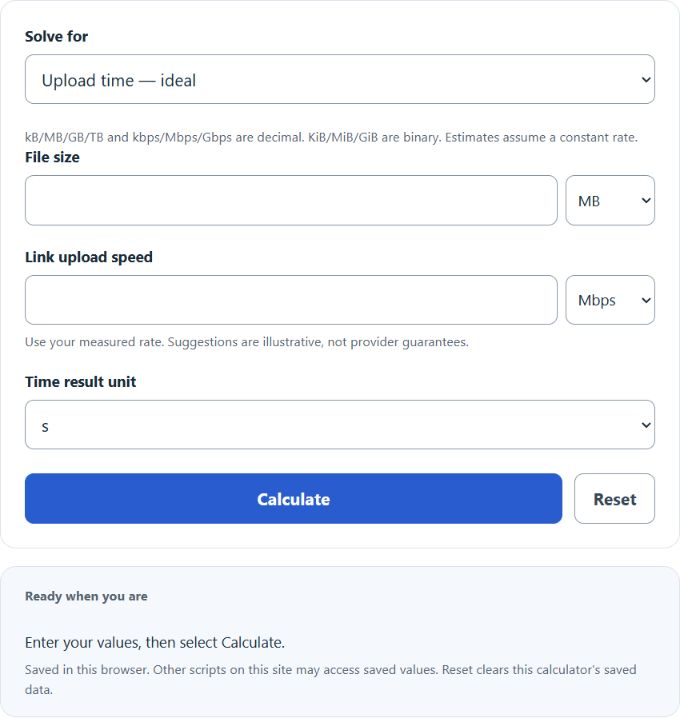
Calculate upload time from file size and upload speed, with basic, efficiency-adjusted, and batch calculations for multiple files.
- All Unit Converters
- Upload Speed Calculator
- Mbps Calculator
- Bits Per Second Calculator
- Data Size Calculator
- Video File Size Calculator
- GB Per Hour Calculator
Upload Time Formula
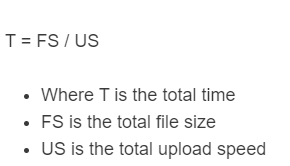
The following formula is used to calculate the total upload time of a digital file.
- Where UT is the total upload time (seconds)
- FS is the total file size (bytes)
- US is the upload speed (bits per second)
To calculate upload time, first convert the file size to bits (multiply bytes by 8), then divide by the upload speed in bits per second. For example, if you use MB and Mb/s (Mbps), then UT (seconds) = (MB × 8) ÷ (Mb/s).
Upload Time Definition
An upload time is defined as the total time it takes to upload a digital file from your computer or server to another computer or server.
Upload Time Example Problem
How to calculate upload time?
- First, determine the total digital file size.
For example, we will say the digital file, in this case, is 500 MB.
- Next, convert the file size from megabytes (MB) to megabits (Mb).
Since upload speeds are usually shown in bits per second, convert the file size from bytes to bits by multiplying by 8. For 500 MB: 500 MB × 8 = 4,000 Mb (≈ 4,000,000,000 bits).
- Next, determine your upload speed or rate.
For this example, the upload speed is 100 Mb/s (100 Mbps).
- Finally, calculate the upload time.
Using the formula above, we can calculate the upload time: 4,000 Mb ÷ 100 Mb/s = 40 seconds (ideal; real-world overhead may make it longer).
Upload Time
Do upload times really matter? Upload times can be extremely important depending on the application and the person being asked. For the average person, having a video you made upload to YouTube in 30 minutes instead of 15 minutes may not be a big difference. For a huge publisher or business, time is money. If you can save 15 minutes of upload time per video and are publishing thousands of videos, that can equate to a lot of money.