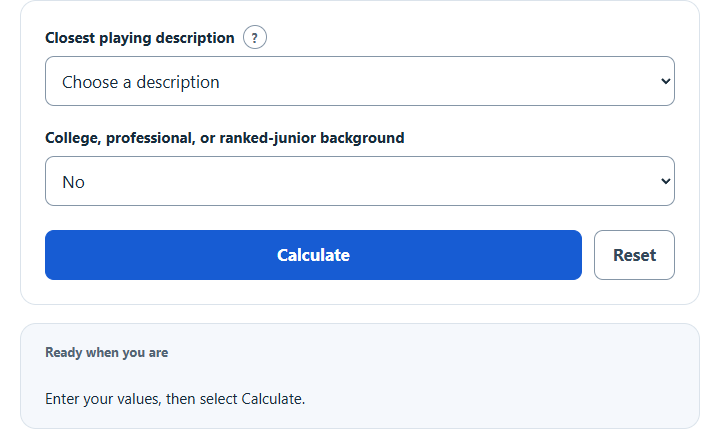
Estimate your NTRP rating by choosing the USTA playing description that best matches your match play, then use the USTA self-rating for league play.
NTRP Rating Formula or Method
The guide maps the single holistic description you select directly to its published NTRP reference level without inventing a third-party score.
How the Calculation Works
The calculator applies the displayed relationship or published lookup directly to the visible required inputs and reports one defined result with supporting details.
How to Use This Calculator
- Choose the playing description that most consistently matches your current match play.
- Disclose college, professional, or ranked-junior experience, including uncertainty.
- Select Calculate and review the primary result, supporting values, and steps.
- Use Reset before starting a new sample.
Worked Example
Selecting the 3.5 description returns NTRP 3.5 as the reference level to review in the official USTA process.
Input and Result Guide
| Item | How to use it |
|---|---|
| Holistic profile | Choose the description that consistently matches your match play, not one isolated strength. |
| Reference level | Use it to review the corresponding official characteristics. |
| Official decision | Complete the current USTA self-rating questionnaire in TennisLink when required. |
Interpreting the Result
Keep the sport, record scope, equipment setup, units, and source definitions consistent when comparing results.
Assumptions and Limitations
Only USTA provides a true NTRP rating. This guide is not an official self-rating, computer rating, appeal, endorsement, or eligibility decision.
Common Questions
Does this guide assign an official rating?
This guide has one output and uses the selected holistic description directly; it does not assign an official rating.
Will my last successful calculation be restored?
Yes. The calculator saves enabled source values and the successful result in this browser. Reset clears that saved state.
Sources
USTA general characteristics and official adult self-rating guidance. The menu paraphrases the guide; 1.0 is its new-player reference, while current adult rating information describes a 1.5–7.0 scale.