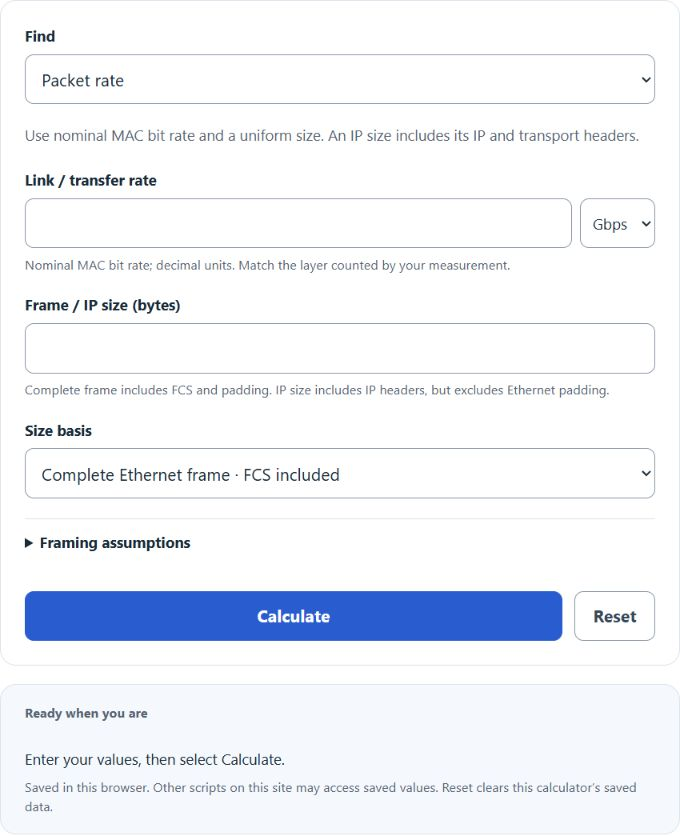
Calculate packets per second, required link rate, or uniform frame/IP size using explicit Ethernet framing and link-time overhead assumptions.
- All Miscellaneous Calculators
- Mbps Calculator (MB/s to Mbps Conversion)
- RTT Calculator
- Upload Time Calculator
- Throughput to IOPS Calculator
Packets Per Second Formula
- PPS — packets per second
- BitRate — link or transfer rate in bits per second
- WireBytes — link-time occupancy in byte-times, including the frame and the selected preamble/SFD and average idle gap
A complete Ethernet frame input already includes its header, FCS and padding. For an IP packet input, add 18 B for an untagged Ethernet header/FCS or 22 B with one VLAN tag, then pad to the selected frame minimum. The default minimum is 64 B including FCS; select 68 B for a configuration that retains that larger tagged floor. Add 20 byte-times by default for preamble/SFD and the average idle gap. An IP packet includes its IP and transport headers; application payload alone is not the input. See RFC 894 for the separation between IP length and Ethernet padding.
For uniform sizes, wire occupancy is max(IP size + framing bytes, minimum frame) + overhead. At the padding floor, rate and bandwidth cannot uniquely recover IP size: with a 64 B untagged frame floor, generic IPv4 sizes from 20 to 46 B or IPv6 sizes from 40 to 46 B give the same occupancy. With one VLAN tag and the same floor, the upper boundary is 42 B. Options, extensions and higher-layer protocols can raise the lower bound. Mixed-size traffic needs its actual padding distribution; applying padding to an unpadded mean can give a different answer.
Reference Values
Theoretical nominal MAC line-rate values: 84 byte-times for a 64 B complete frame plus 20 byte-times overhead, and 1538 byte-times for a 1500 B IP packet over untagged Ethernet (1500 + 18 + 20). Values are rounded. These exclude physical coding/FEC and do not measure a device’s forwarding capacity.
| Link speed | 64 B frames | 1500 B IP packets |
|---|---|---|
| 100 Mbps | 148,810 pps | 8,127 pps |
| 1 Gbps | 1.488 Mpps | 81,274 pps |
| 10 Gbps | 14.88 Mpps | 812,744 pps |
| 25 Gbps | 37.20 Mpps | 2.03 Mpps |
| 40 Gbps | 59.52 Mpps | 3.25 Mpps |
| 100 Gbps | 148.81 Mpps | 8.13 Mpps |
Packet-rate ranges for reading units. Device capacity depends on the hardware, software, enabled processing, frame sizes and traffic. Compare measured benchmarks for the actual configuration; RFC 2544 describes throughput reporting with those test conditions.
| Range | What to expect |
|---|---|
| Under 100 kpps | Below 100,000 packets/s. This range alone does not establish a device’s capacity. |
| 100 kpps to 1 Mpps | 100,000 to 1,000,000 packets/s. Compare measurements at matching frame sizes and enabled features. |
| 1 to 10 Mpps | 1,000,000 to 10,000,000 packets/s. Required architecture cannot be inferred from this rate alone. |
| Over 10 Mpps | Above 10,000,000 packets/s. Use a measured device/workload benchmark rather than a universal hardware threshold. |
Worked Example
Find the packet rate for a 10 Gbps link sending 64 B Ethernet frames.
- On-wire size = 64 + 20 = 84 B = 672 bits.
- Bit rate = 10,000,000,000 bps.
- PPS = 10,000,000,000 / 672 = 14,880,952 pps, or about 14.88 Mpps.
FAQ
Why include 20 bytes of overhead? The ordinary model counts 7 preamble bytes, 1 start-of-frame delimiter byte and an average 12 byte-times of idle gap. The gap consumes link time rather than packet data; individual gaps can differ in implementations that maintain the average. These are separate from the complete frame including FCS.
Which size basis should I use? Choose complete frame when the size includes Ethernet headers, FCS and padding. Choose the appropriate IPv4/IPv6 and tagging option when you know the complete IP packet length, including IP and transport headers. A 1500 B IP MTU is not a 1500 B Ethernet frame. Do not enter application payload alone.
Does this apply to non-Ethernet links? The rate formula applies when you know that link’s complete time occupancy per packet. This widget’s size bases and minimum-frame validation model Ethernet. In Framing assumptions, overhead 0 excludes preamble/SFD and idle-gap time; it does not remove Ethernet headers, FCS or padding.