Calculate standard or balanced classification accuracy, precision, recall, F1, measurement error, or prevalence-weighted expected accuracy with shown steps.
Related Calculators
- Relative Accuracy Calculator
- Sum Of Squares Calculator
- Average Error Calculator
- Systematic Error Calculator
- Percent Deviation Calculator
- All Statistics Calculators
Accuracy Formula
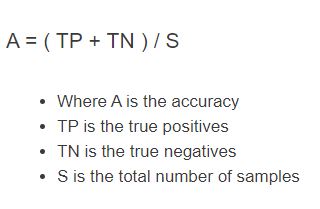
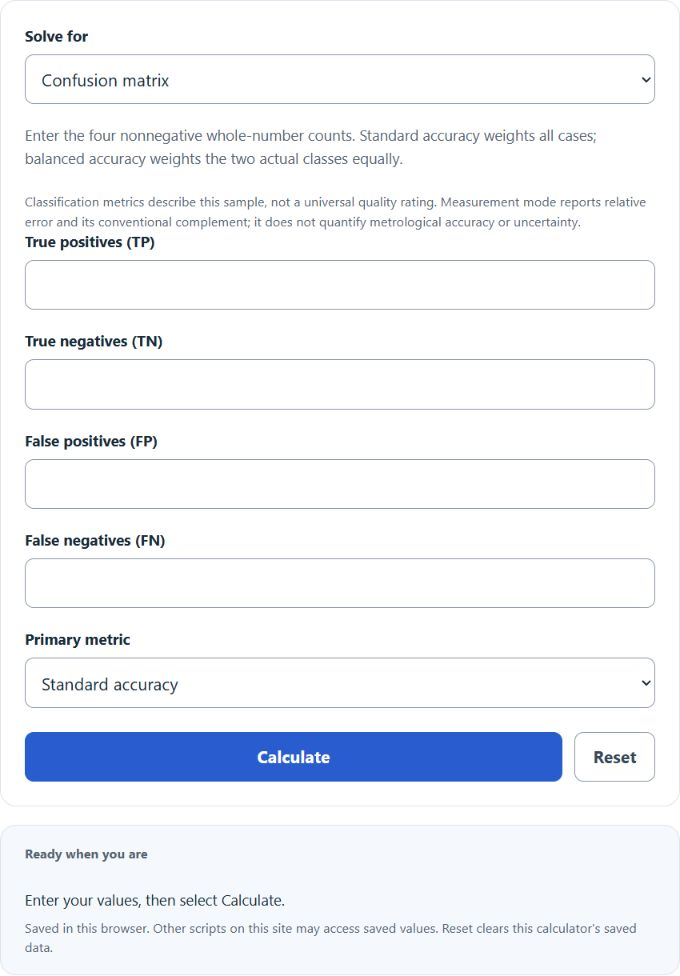
For observed binary classifications, enter all four confusion-matrix counts. N = TP + TN + FP + FN, and standard accuracy = (TP + TN)/N × 100%. The calculator also reports balanced accuracy, precision, recall, specificity, F1, error rate and the majority-class baseline.
Balanced accuracy averages the two class-specific correct-classification rates. Both actual classes must be represented. Precision = TP/(TP + FP), recall = TP/(TP + FN), specificity = TN/(TN + FP), and F1 = 2TP/(2TP + FP + FN). A metric with a zero denominator is shown as Not defined. F1 is zero when TP is zero but FP or FN is nonzero.
Confusion-Matrix Terms
- TP: positive cases predicted positive; correct.
- TN: negative cases predicted negative; correct.
- FP: negative cases predicted positive; incorrect.
- FN: positive cases predicted negative; incorrect.
Enter nonnegative whole counts with a positive total. For TP = 80, TN = 70, FP = 20 and FN = 30, standard accuracy is 150/200 = 75%. Balanced accuracy is [80/110 + 70/90]/2 = 75.252525%.
Interpreting Classification Results
There is no universal acceptable accuracy percentage. Compare the result with the majority-class baseline, the consequences of false positives and false negatives, and performance on a representative evaluation sample. A classifier that always predicts negative can achieve 95% accuracy in a sample with 95% negatives while detecting no positive cases.
The displayed nominal 95% Wilson interval uses z = 1.96 for the standard accuracy proportion. It assumes independent cases and an appropriate binomial sampling model; it does not quantify balanced-accuracy uncertainty or correct for an unrepresentative sample. See the NIST proportion-interval guidance and classification metric definitions.
Measurement Error Mode
Enter observed and nonzero reference values in the same unit. Absolute percent error = |observed − reference|/|reference| × 100%. The displayed relative-error complement is 100% minus that error. For observed 98 and reference 100, percent error is 2% and the complement is 98%. For observed 400 and reference 100, the complement is −200%.
This conventional complement can be negative and is not a probability or a metrological definition of accuracy. One observation does not establish measurement uncertainty, repeatability or systematic bias. NIST measurement terminology explains the distinction.
Prevalence Planning Mode
Expected accuracy = sensitivity × prevalence + specificity × (1 − prevalence), using proportions. With sensitivity 90%, specificity 95%, prevalence 10% and 1,000 planned cases, expected accuracy is 94.5%, with TP = 90, TN = 855, FP = 45 and FN = 10. Expected positive predictive value is 66.666667% and expected negative predictive value is 98.843931%.
Expected counts can be fractional; actual confusion-matrix counts cannot. Planning assumes the entered sensitivity and specificity transfer to the proposed population. Predictive values change with prevalence, and zero predicted-class denominators remain undefined. These estimates do not include sampling uncertainty.