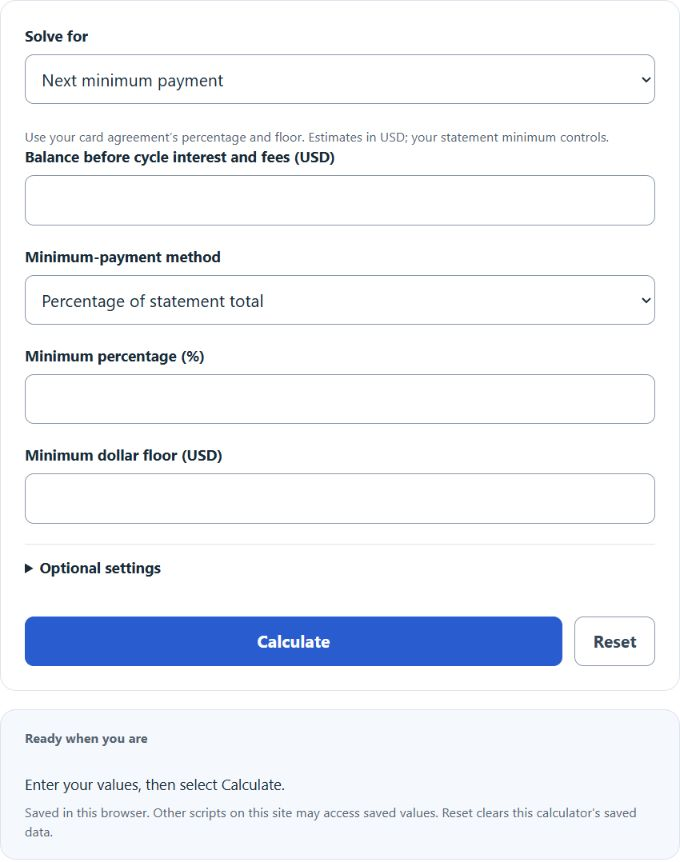
Use this Credit Card Minimum Payment Calculator to estimate the next payment, payoff time, total interest, fees, and savings from extra payments each month.
Credit Card Minimum Payment Formula
Credit card issuers commonly use either a flat percentage of the statement balance or a percentage of principal plus the cycle’s interest and fees. A dollar floor applies when the formula produces a smaller amount, and the payment cannot exceed the amount owed.
Flat method: MP = min(T, max(F, T * p))
 Interest-plus-fees method: MP = min(T, max(F, B * p + I + G))
Variables:
- MP is the estimated minimum payment
- T is the total statement amount due after interest and fees
- B is the balance used as principal in the percentage calculation
- p is the minimum percentage written as a decimal
- I is the interest charged for the cycle
- G is the fees charged for the cycle
- F is the issuer’s minimum dollar floor
For a payoff estimate, the calculator repeats the minimum-payment formula month by month. It adds monthly interest and recurring fees, subtracts the calculated payment and any extra amount, then carries the remaining balance into the next month:
B_(m+1) = max(0, B_m + round_cents(B_m * APR / 1200) + G - MP_m - E)
APR in the payoff recurrence is entered as a percentage, such as 24 for 24%. Monthly interest and percentage amounts are rounded half up to cents, and each payment is capped at the amount owed. No new purchases are assumed; the APR, percentage, floor and recurring fee remain constant. This model is an estimate rather than a legally prescribed statement repayment disclosure. The percentage and floor should come from the cardholder agreement or statement. Some issuers use the entire statement balance in the percentage calculation, while others use one percent of principal and then add all interest and fees. The calculator includes both methods so the result can match the agreement instead of relying on one generic rule.
Minimum Payment Reference Table
The table compares two generic methods using a $35 floor and no fees. In the flat column, the listed balance is the total statement amount, already including interest. In the principal-plus-interest column, it is principal before interest; a 24% APR is modeled as 2% monthly interest.
| Balance | 2% flat method | 1% principal + monthly interest | Floor controls? |
|---|---|---|---|
| $1,000 | $35.00 | $35.00 | Yes for both |
| $2,500 | $50.00 | $75.00 | No |
| $5,000 | $100.00 | $150.00 | No |
| $10,000 | $200.00 | $300.00 | No |
Example Problems
Example 1: Flat percentage with a floor.
A card has a $3,000 statement balance, uses a 2% minimum, and has a $35 floor. The percentage result is 3000 * 0.02 = $60. Because $60 is greater than the floor, the estimated minimum payment is $60.
Example 2: Principal percentage plus interest and fees.
A $5,000 balance uses 1% of principal plus interest and fees. The cycle has $100 of interest and a $15 fee. The estimate is 5000 * 0.01 + 100 + 15 = $165. The $35 floor does not control because the formula result is higher.
Frequently Asked Questions
Why does my statement minimum differ from the calculator?
Issuers use different formulas, rounding rules, fee treatment, delinquency rules, and dollar floors. Enter the exact method and figures from your agreement, then treat the printed statement amount as authoritative.
What happens when the balance is below the dollar floor?
The payment is normally capped at the full amount owed. For example, a $22 balance with a $35 floor would produce an estimated minimum of $22, not $35.
Why can minimum payments take so long to pay off a card?
A declining percentage payment falls as the balance falls. When much of each payment goes to interest and fees, principal shrinks slowly. Adding a fixed extra amount prevents the payment from declining as quickly and can shorten the payoff period substantially.