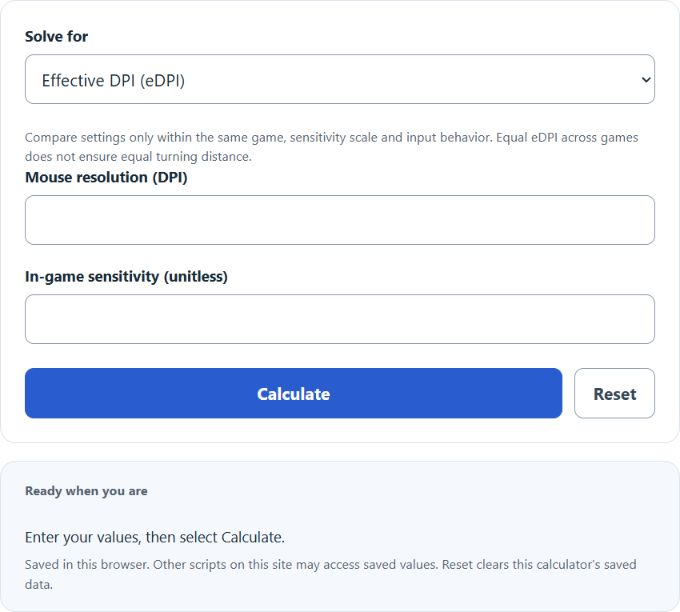
Calculate eDPI from your inputs, with a result breakdown and worked steps.
eDPI Formula and Method
eDPI = mouse DPI × in-game sensitivity
Effective DPI multiplies the mouse’s resolution by the game’s sensitivity setting. Within the same game and input convention, doubling one while halving the other leaves that product unchanged. Use the actual DPI selected on the mouse, not screen pixel density or monitor resolution.
How to Use This Calculator
Select the result and any applicable method before entering the visible values. The selected unknown is calculated from the remaining quantities; change Solve for to rearrange the relationship. Review the primary result and its breakdown, then open the calculation steps to see how the inputs were used.
Worked Example
With the example inputs in the table, the result is 800 eDPI. eDPI combines resolution and sensitivity for one game’s input scale.
800 × 1 = 800
Input and Example Guide
| Input or category | Example or weight | Entry guidance |
|---|---|---|
| Mouse resolution (dots/inch, DPI) | 800 | Use the stated unit; retain available precision. |
| In-game sensitivity (unitless) | 1 | Use the stated unit; retain available precision. |
| Effective mouse setting | 800 eDPI | Calculated result for the entered example. |
Interpreting the Result
An eDPI comparison is meaningful only when both settings use the same sensitivity scale and yaw behavior. Two games can use the same product but turn through different angles for the same movement. For cross-game comparisons, physical turning distance also needs each game’s yaw coefficient.
Different games use different yaw coefficients. Equal eDPI does not imply equal physical turning distance across games.
Assumptions and Common Input Errors
eDPI combines resolution and sensitivity for one game’s input scale. Use the actual selected mouse DPI and in-game sensitivity. This calculator requires positive settings; zero cannot be used as a divisor.
Saving and Revising a Scenario
A successful calculation is saved in this browser and can be restored on the next visit. Editing an input retains a clearly marked previous result until Calculate is selected. Reset clears the fields, result and this calculator’s saved state.