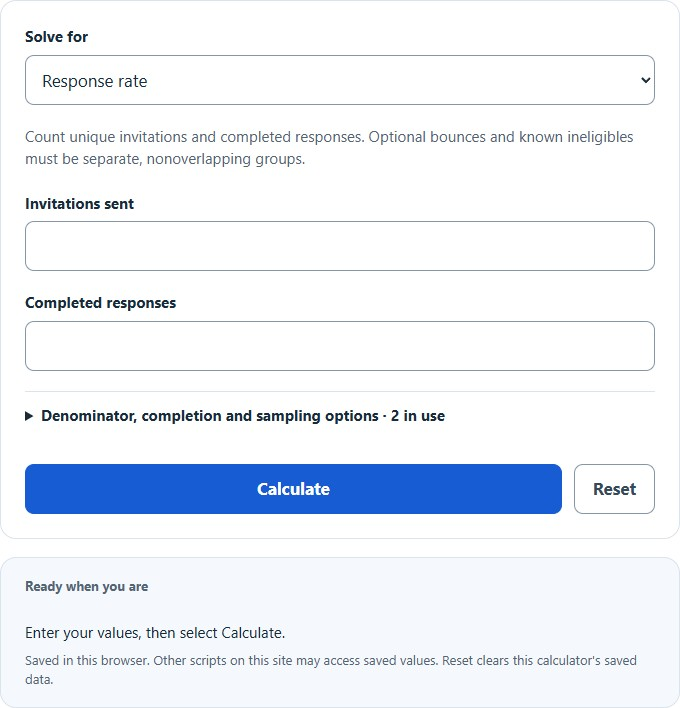
Calculate response rate from invitations sent and completed responses, adjust for bounces and ineligibles, and find the invites needed to hit a response target.
- All Statistics Calculators
- All Rate Calculators
- AHT (Average Handle Time) Calculator
- Completion Rate Calculator
- Completion Percentage Calculator
- Average Response Time Calculator
Response Rate Formula
This calculator reports completed responses as a percentage of unique invitations sent. If you choose to remove bounced invitations and known ineligibles, it reports an adjusted invitation yield on that stated denominator. A bounced email does not by itself prove that a person is ineligible. This simplified yield is not a certified AAPOR response rate, whose variants require documented case dispositions and eligibility rules.
| Variable | Meaning | Unit |
|---|---|---|
| RESR | Response rate | Percent (%) |
| CS | Completed surveys | Count |
| VS | Unique invitations in the stated denominator | Count |
If you already know the response rate and one other value, the equation can be rearranged to solve for the missing variable.
How to Calculate Response Rate
- Count the number of completed surveys.
- Count unique invitations sent; document any nonoverlapping exclusions used for an adjusted yield.
- Divide completed responses by the stated invitation denominator.
- Multiply by 100 to convert the decimal into a percentage.
For the calculator to return a meaningful result, use the same counting method for both inputs. Use unique recipients and unique completed responses. Keep partial responses separate, and do not treat delivery failure as proof of ineligibility.
Example 1
If 30 people complete a survey from 400 unique invitations, the response yield is:
This means 7.5% of the invited recipients completed the survey.
Example 2
If the response rate is 12% and 850 unique invitations are sent, the number of completed surveys is:
So, 102 completed surveys would produce a 12% response rate.
Example 3
If 96 surveys were completed and the response rate was 8%, the number of invitations in the denominator is:
That gives an invitation denominator of 1,200 under the same counting rules.
How to Interpret the Result
A higher response rate generally indicates that the survey was relevant, easy to complete, and presented to the right audience. A lower rate can suggest weak targeting, survey fatigue, poor timing, unclear questions, or too much friction in the completion process.
- 0% means nobody completed the survey.
- 100% means every recipient in the stated invitation denominator completed it.
- Higher rates usually indicate stronger engagement or a smoother user experience.
- Lower rates often point to abandonment, weak intent, or a mismatch between the audience and the survey.
When comparing response rates across campaigns, teams, or time periods, keep the denominator consistent. A response rate based on viewers is not directly comparable to one based on email invitations sent unless your reporting rules are identical.
Response Rate vs. Completion Rate
| Metric | Numerator | Denominator | What It Tells You |
|---|---|---|---|
| Response Rate | Completed surveys | Unique invitations in the stated denominator | Completed-response yield from the stated invitation base |
| Completion Rate | Completed surveys | People who started the survey | How often people finish once they begin |
The denominators differ. Completion rate among recorded starters is completed / (completed + partial responses), provided those two groups capture all starts. Invitation response yield additionally includes invited recipients who never start. Neither metric alone measures nonresponse bias or representativeness.
Factors That Affect Response Rate
- Audience quality: Better targeted respondents are more likely to finish.
- Survey length: Longer surveys typically reduce completion behavior.
- Question clarity: Confusing or repetitive questions increase drop-off.
- Timing: Delivery time, reminders, and seasonality can change participation.
- Device experience: Mobile-unfriendly layouts often lower responses.
- Trust and privacy: Unclear data usage statements can discourage submissions.
- Incentives: Discounts, rewards, or follow-up messaging can improve participation.
Common Input Mistakes
- Mixing invitation counts with page views or starts without stating the denominator.
- Using duplicate survey submissions instead of unique completed responses.
- Counting page views rather than actual viewers when traffic includes repeated visits.
- Including partial responses in the completed survey total.
- Comparing rates from different campaigns without matching denominator rules.
Practical Tips for Improving Response Rate
- Keep the survey short and focused on one objective.
- Ask the most important questions first.
- Reduce required fields unless they are essential.
- Use clear progress indicators for longer surveys.
- Optimize the form for mobile users.
- Send the survey to a more relevant audience segment.
- Test different subject lines, prompts, and reminder schedules.
Frequently Asked Questions
Can a response rate be greater than 100%?
No. If your result is above 100%, the inputs are inconsistent. In most cases, this means completed surveys were overcounted or the denominator was undercounted.
What is a good response rate?
There is no single universal benchmark. A strong rate depends on your audience, channel, survey length, incentive structure, and whether the denominator is based on viewers, starters, or invitations. The most useful comparison is against your own historical performance under the same measurement method.
Should I use viewers, starters, or invitations sent?
Use the denominator that matches your reporting definition and stay consistent over time. This calculator uses unique invitations, with optional explicit exclusions. Its planning modes apply bounce rate to all sent invitations, then ineligibility rate to delivered invitations. Expected counts and scenario ranges are planning assumptions, not guaranteed outcomes. The optional sampling margin concerns a hypothetical survey estimate under simple random sampling and a 50% answer split; it is not a confidence interval for the response yield and excludes nonresponse bias.