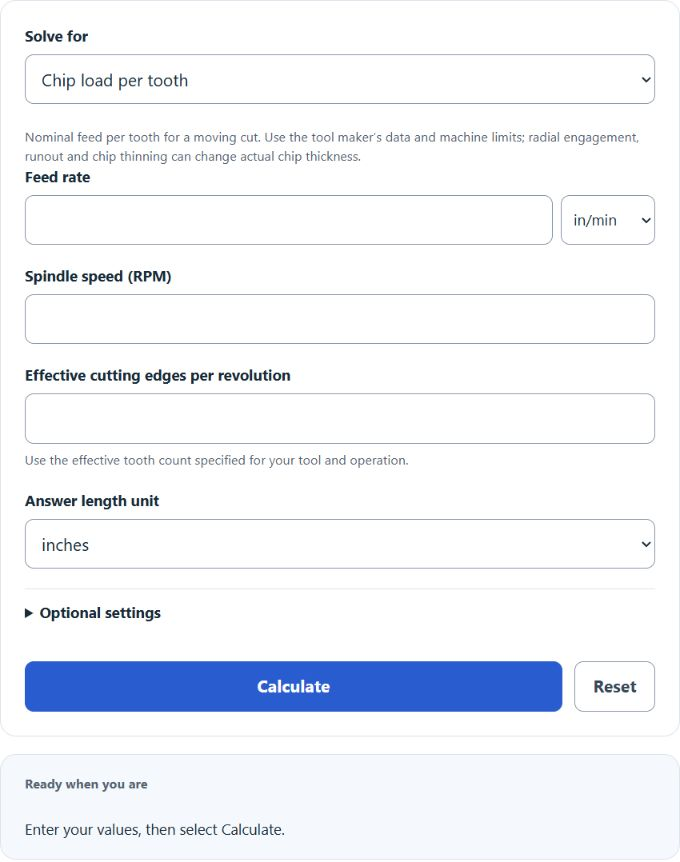
Calculate CNC chip load, feed rate, or spindle RPM in metric or imperial units, then check an entered target band, surface speed, and ±10% feed sensitivity.
- All Construction Calculators
- Drill SFM Calculator
- Surface Speed (SFM) Calculator
- Spindle Speed Calculator
- Cycle Time Calculator
- Countersink Depth Calculator
Chip Load Formula
The calculator solves nominal chip load, feed rate or spindle speed from the same equation. RPM = Feed / (ChipLoad × Flutes). Supply positive moving-cut values and a whole effective cutting-edge count. Tool diameter is optional and adds surface speed; enter both optional target limits to compare with your own tool-specific band.
Feed-rate mode:
Chip-load mode:
- Feed — feed rate in in/min or mm/min
- ChipLoad — nominal feed per tooth (in/tooth or mm/tooth), which can differ from actual chip thickness
- RPM — spindle speed in revolutions per minute
- Flutes — number of cutting edges on the tool
Choose operating values from the specific tool manufacturer and machine limits. Engagement, rigidity, sharpness, runout and chip evacuation affect the cut. Heat, dust and chatter can have multiple causes; they do not identify a chip-load error by themselves.
Select the value to solve, enter the other values and choose their units. This calculator does not select material recommendations or apply depth/downcut factors. Its optional band is entered by you. The details show formulas and a ±10% feed comparison at fixed RPM and cutting-edge count. These scenarios are arithmetic, not setting recommendations.
Illustrative CNC-Router Wood Ranges
The three wood rows below match IDC Woodcraft’s Typical Chiploads (SAE) chart. Values are inches per tooth. They are illustrative router starting ranges without a specified tool series or engagement. Confirm the actual cutter manufacturer’s guidance; the calculator does not apply these automatically.
| Material | 1/8 in | 1/4 in | 3/8 in | 1/2 in |
|---|---|---|---|---|
| Hardwood | 0.003–0.005 | 0.009–0.011 | 0.015–0.018 | 0.019–0.021 |
| Softwood | 0.004–0.006 | 0.011–0.013 | 0.018–0.020 | 0.021–0.023 |
| MDF | 0.004–0.007 | 0.013–0.016 | 0.020–0.023 | 0.025–0.027 |
Being below or above an entered band is only a numerical comparison. It does not diagnose a cut or show that a machine setting is safe.
Worked Examples
Example 1: Find the feed rate for hardwood. Assume that your actual tool’s verified cutting data specify 0.010 in/tooth, with two effective cutting edges and 18,000 RPM. The arithmetic is:
Feed = 0.010 × 18,000 × 2 = 360 in/min
The arithmetic result is 360 in/min; this example does not establish an appropriate feed for a particular machine or cut.
Example 2: Check an existing program. Your file runs at 200 in/min, 16,000 RPM, with a two-flute bit.
Chip load = 200 ÷ (16,000 × 2) = 0.00625 in/tooth
If you enter an assumed 0.013–0.016 in/tooth band, 0.00625 is numerically below it. Verify that band for the actual tool, material and engagement before changing any setting.
FAQ
Why does chip load matter? Each cutting edge needs to take a real bite. If the bite is too small, the tool rubs and overheats. If it is too large, the tool deflects, chatters, or breaks.
Should I change feed or RPM first? Either feed or RPM changes nominal feed per tooth; RPM also changes surface speed. Use the tool manufacturer’s recommendations and machine constraints rather than a universal adjustment order.
Do I reduce chip load for deep cuts? This calculator does not adjust for depth. Onsrud’s hardwood chart gives 25% and 50% chip-load reductions at 2× and 3× cutting diameter for its listed tools. That is chart-specific guidance, not a universal rule.
What about downcut bits? Chip evacuation and engagement matter. Follow the specific tool’s data; this calculator does not apply a universal downcut multiplier.
Are these values for routers or mills? The attributed wood examples are for CNC routers. Other tools and operations need their own cutting data. The same nominal feed-per-tooth equation is documented in Sandvik Coromant’s milling formulas.