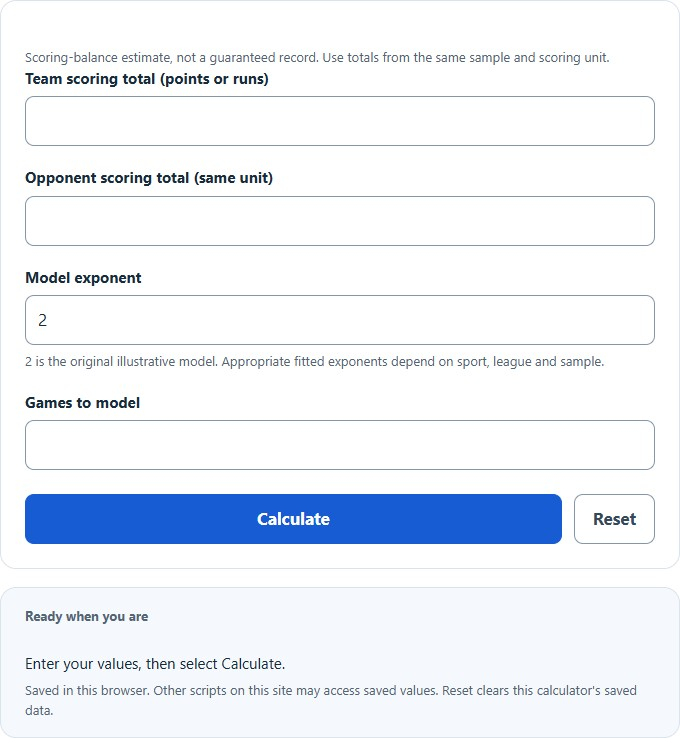
Calculate Pythagorean expectation from your inputs, with a result breakdown and worked steps.
Pythagorean Expectation Formula and Method
Expected fraction = PF^x / (PF^x + PA^x)
Enter scoring for and against over the same sample, in the same unit, and choose an exponent appropriate to the model you intend to examine. The default exponent of two is an illustrative input. Larger exponents amplify the effect of scoring imbalance; equal positive totals always produce a 50% estimate.
How to Use This Calculator
Select the result and any applicable method before entering the visible values. Check the selected record, unit and scoring conventions before calculating. Review the primary result and its breakdown, then open the calculation steps to see how the inputs were used.
Worked Example
With the example inputs in the table, the result is approximately55.2486%. This is a scoring-balance model evaluated with your chosen exponent.
500^2 / (500^2 + 450^2)
Input and Example Guide
| Input or category | Example or weight | Entry guidance |
|---|---|---|
| Team scoring total (points or runs) | 500 | Use the stated unit; retain available precision. |
| Opponent scoring total (same unit) | 450 | Use the stated unit; retain available precision. |
| Model exponent (unitless) | 2 | Use the stated unit; retain available precision. |
| Games to model (count) | 100 | Use a whole count in the stated unit. |
Interpreting the Result
The expected wins are the calculated win fraction multiplied by the modeled game count. They need not be integers. This scoring-balance relationship ignores the order of scores and treats ties as outside its two-outcome win/loss estimate. Comparing the estimate to actual wins can describe a difference, but does not establish why that difference occurred.
The exponent is a model input, not a universal sport constant. Ties, schedule strength, close-game effects and uncertainty are not modeled.
Assumptions and Common Input Errors
This is a scoring-balance model evaluated with your chosen exponent. Use credited records rather than mixing estimates with final totals. A blank field is not treated as zero; enter zero explicitly when it is a valid observation.
Saving and Revising a Scenario
A successful calculation is saved in this browser and can be restored on the next visit. Editing an input marks the previous result as needing recalculation. Reset clears personal inputs and saved results while restoring the illustrative exponent of2.