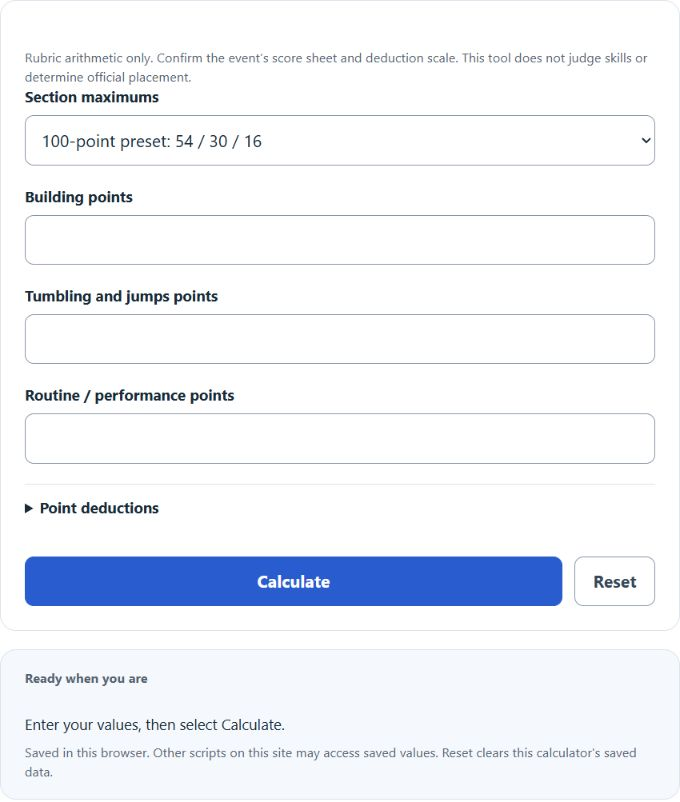
Calculate a cheerleading score by adding building, tumbling and performance points, subtracting deductions and comparing to the rubric maximum.
Cheer Rubric Aggregation Formula
The calculator groups stunts, pyramids and applicable tosses as building; tumbling and jumps as the second section; and dance, composition, formations and performance as the third. It subtracts same-scale point deductions, then divides by the selected maximum. The 100-point preset groups the 2026–2027 USASF Level 2–6 master categories as 54/30/16; Level 1 and Prep group as 48/30/16 for 94. These three group headings are derived from the master’s individual categories.
How the Calculation Works
The calculator adds and subtracts point values in exact hundredths, checks each score against its section maximum, and then calculates a rounded percentage.
How to Use This Calculator
- Choose the matching section-maximum preset or enter all three custom maximums.
- Enter the three section scores. Optional deductions default to zero; use the same point scale and subtract each deduction only once.
- Select Calculate and review the result and supporting breakdown.
- Use Reset before starting a new routine or scenario.
Worked Example
Using the Level 2–6 maximum of 100, section scores of 49.25, 27.60, and 14.40 produce 91.25 raw points. After 1.25 in deductions, the result is 90.00 points or 90.00%.
Input and Result Guide
| Item | How to use it |
|---|---|
| Level 2–6 preset | Building 54, tumbling plus jumps 30, and routine/performance 16; total maximum 100. |
| Level 1 / Prep preset | Building 48, tumbling plus jumps 30, and routine/performance 16; total maximum 94. |
| Custom preset | Enter positive maximums from the exact event rubric before entering section scores. |
| Deductions | Enter the official deduction total separately and never subtract it within a section first. |
| Normalized percent | Useful for reading a non-100-point rubric; it is not automatically an event’s official final score. |
Interpreting the Result
The section breakdown and selected maximum matter as much as the percentage. Compare teams only when they used the same producer, division, rubric, deductions guide, and event rules.
Assumptions and Limitations
Cheer scoring varies by event producer, division, level, and season, and USASF allows event producers to choose their scoring system. This tool aggregates entered rubric values; it does not judge difficulty, quantity, technique, legality, or official placement. Confirm the event’s current score sheet before using the result.
Common Questions
Is the normalized percentage an official score?
Not automatically. This calculator subtracts entered point deductions before dividing by the total maximum and only supports nonnegative totals. Confirm the event’s official weighting, deduction scale, floors and calculation order.
Will my last successful calculation be restored?
Yes. The calculator saves the last successful input snapshot locally and validates and recomputes it on reload. Reset clears that saved state.
Sources
U.S. All Star Federation, 2026–2027 scoring resources, including the linked master score sheets and deductions guide. The three section groups and normalized arithmetic are this calculator’s aggregation, not a quotation of an official final-score procedure.