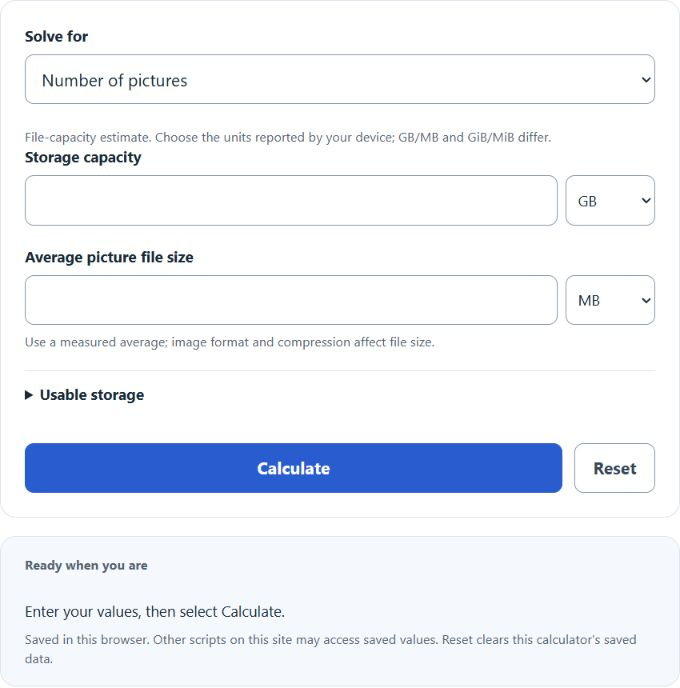
Calculate how many pictures fit in MB, GB, or TB storage, or solve for required capacity and average photo size using decimal or binary units.
Related Calculators
- cm to DPI Calculator
- Bytes To GB Converter Calculator
- DPI to File Size Calculator
- Resolution Calculator
- Pixels to Inches Calculator
- DPI Calculator (PPI)
- Bits Per Pixel Calculator
- Bytes To MB Converter Calculator
- All Unit Converters
Pictures Per GB Formula
The following formula is used to calculate the number of pictures that can be stored per GB of storage.
Variables:
- N is the number of pictures
- S is the storage capacity in decimal GB
- P is the average picture size in decimal MB; u is usable storage as a fraction (100% = 1)
For decimal GB and MB, multiply storage by 1000 and the usable fraction, divide by average picture size, then round down to whole files. For GiB and MiB, use 1024 instead of 1000. Select the explicit units shown by your device; mixed units are converted through bytes. GB/MB are the default. Reserved space is included only through the usable-storage setting.
What is a Pictures Per GB Calculator?
A Pictures Per GB Calculator is a tool used to determine how many pictures can be stored on a given amount of storage space. This is particularly useful for photographers and anyone who needs to manage digital storage efficiently. By inputting the storage capacity and the size of one picture, the calculator can quickly compute the number of pictures that can be stored. Conversely, it can also calculate the required storage capacity or the size of one picture if the other two variables are known.
How to Calculate Pictures Per GB?
The following steps outline how to calculate the number of pictures per GB of storage.
- First, determine the storage capacity in GB (S).
- Next, determine the size of one picture in MB (P).
- Select Number of pictures, enter the capacity and average file size with their units, and select Calculate. The usable-storage setting defaults to100%; lower it to reserve space.
- After inserting the values and calculating the result, check your answer with the calculator above.
Example Problem :
Use the following variables as an example problem to test your knowledge.
Storage Capacity (S) = 2 GB
Size of One Picture (P) = 5 MB. At100% usable storage,2 GB holds floor(2 ×1000 /5) =400 pictures. Using2 GiB and5 MiB instead gives409 whole pictures.